Creating Visual Timers for Toddler Screen Time Limits
Discover how visual timers can transform screen time transitions for toddlers, reducing meltdowns and fostering understanding. Learn types of timers and how to implement them.
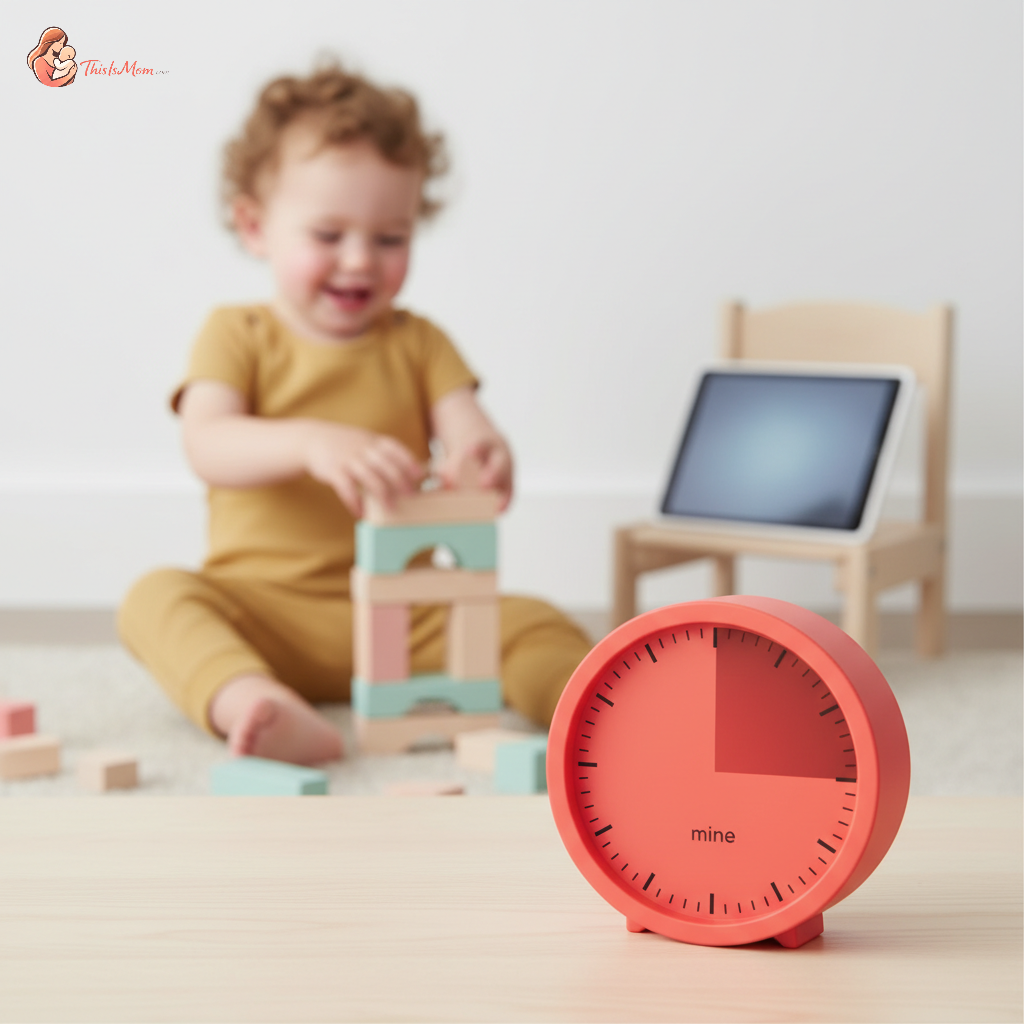
Creating Visual Timers for Toddler Screen Time: Gentle Guidance for Smooth Transitions
Before you decide another round of screen time is the only way to get through the afternoon, take a moment to observe your toddler. Notice how they interact with the world around them. Do they have a favorite toy they bring back to again and again? Do they seem to understand when playtime is ending because the sun is setting? A child's innate ability to grasp concepts through concrete experiences is a powerful tool, and it's at the heart of creating visual timers for toddler screen time that actually work.
For many of us, screen time can feel like a necessary evil. We want to limit it, but the transitions out of it often lead to tears and frustration – for both us and our little ones. This is where the magic of visual aids comes in. When we make the abstract concept of time concrete, we empower the child to understand and accept limits, paving the way for much calmer endings. It’s about connection, not control, and offering a clear visual path that helps them navigate the boundaries. Learn more about managing toddler tantrums during grocery shopping to see how a similar approach can help in different situations.
The Power of Seeing Time: Why Visual Timers Are a Game-Changer
Toddlers, with their absorbent minds, are still developing their sense of time. An abstract statement like "Five more minutes" can feel like an eternity, or worse, like an arbitrary command. They simply don't have the cognitive tools yet to grasp that abstract measurement. This is precisely why a visual timer can be such a revelation.
When time is something they can see, it becomes understandable. It’s a tangible representation of something fleeting. This toddler screen time visual schedule transforms the "when will it end?" anxiety into a clear countdown. It helps the child feel more in charge because they can witness the passage of time for themselves, making the eventual end less of a surprise and more of an expected outcome. This simple shift can drastically reduce meltdowns and create a more peaceful environment for everyone. If you're looking for alternatives, consider screen time alternatives for toddlers during work calls to keep them engaged without screens.
Finding the Right Visual Companion for Your Little One
The world of visual timers offers a spectrum of options, each with its own strengths. The best choice for your family will depend on your child’s age, temperament, and your own preferences. Exploring these different types can help you find the perfect fit for your needs.
Digital Countdown Timers: Simple and Clear
These are perhaps the most common and straightforward. They typically display numbers that count down, often with a visual indicator like a colored bar that shrinks. For a toddler, the clear numerical progression can be very effective. Many models also offer auditory alerts, but it’s often the visual cue that’s most impactful for this age group. Look for ones that are large, brightly colored, and easy for you to set.
Analog Visual Timers: Seeing Time Disappear
These timers often feature a dial with a colored disc that gradually covers the numbers as time elapses. Think of a classic kitchen timer, but designed for educational purposes. The beauty of these is that the child can see the colored portion getting larger (or smaller, depending on the design), providing a very concrete representation of time passing. This "disappearing" effect can be incredibly powerful for helping the child internalize the concept of a limited duration.
DIY Visual Cues: Cards, Clocks, and More
You don't always need to buy a special gadget. Many effective visual timers can be created with everyday items. Consider drawing a simple clock face and coloring in sections that represent the screen time duration. As each section is colored in, it's "gone." Alternatively, you can use picture cards: one card showing a screen, another showing a "stop" symbol. You might even use a sand timer, though the duration for sand timers can be quite short and may not be ideal for longer screen time sessions. The key is making it personal and understandable for your child.
Setting Up Your Visual Timer System: A Gentle Introduction
Successfully integrating a visual timer isn't just about the tool itself; it's about how you introduce and use it. The goal is to create a predictable routine that the child can rely on, fostering a sense of security and understanding. This is where how to use visual timers for toddlers becomes crucial.
Involve Your Toddler (If Age-Appropriate)
For older toddlers (around 2.5 to 3 years old), involving them in the setup can be incredibly empowering. Let them help choose the timer or color the sections on their DIY clock. When they have a sense of ownership, they are more likely to embrace the system. You can say, "We're going to use this special clock to help us know when screen time is all done. You can help me pick the color that shows it's time to turn it off!"
Consistent Placement and Introduction
Place the visual timer in a prominent, easily visible location in the room where screen time usually happens. This makes it a constant, unobtrusive reminder. When screen time begins, always introduce the timer together. "Okay, we're starting screen time now! See this timer? It will show us how much time we have. When the red part is all gone, it will be time to finish." The consistent introduction reinforces the connection between the timer and the activity.
Discover your baby's phase
The 'First/Then' Strategy with Your Timer
Pairing screen time with a subsequent activity can also be very effective, especially for younger toddlers. Use the timer to illustrate this. "First, we have screen time. See how the timer is counting down? Then, when the timer is all done, we will read your favorite book." This teaches the child that screen time is a part of a larger sequence of events, not an endless activity.
Making the Transition Smooth: Navigating the End of Screen Time
The moment the timer signals the end is often the most challenging. But with a few strategies, you can guide your toddler through this transition with less resistance. It’s about creating toddler screen time limits without tantrums.
Pre-Warnings and Reminders
Don't wait until the timer is completely finished. Use the visual timer to provide gentle nudges. "Look, the red part is getting smaller! That means we have a little bit more screen time left." You can give a more significant warning, like, "In five minutes, when the timer gets to here [point to a specific mark], it will be time to finish." This allows the child's brain to start preparing for the change.
The 'Pause' Button Strategy
If your visual timer has a pause function, you can use it strategically for particularly engrossed children. "Oh no, the timer is finished! But I see you're right in the middle of something. Let's pause it for just a moment while you finish that last bit." This gives them a small window of perceived control and shows empathy, making the eventual "off" easier.
Immediate Follow-Up Activities
Have a plan for what happens immediately after screen time. This could be a favorite toy waiting, a snack, or a quick game. The presence of an engaging alternative can significantly ease the disappointment of ending screen time. Transitioning directly into a predictable and enjoyable routine helps redirect their attention.
Overcoming Common Hurdles: Navigating the Nuances
Even with the best intentions and tools, there will be days when your toddler still resists. This is normal, and it's an opportunity for growth and further connection.
When Your Toddler Still Resists
It’s important to remember that even with a visual timer, the impulse control of a toddler is still developing. If a meltdown occurs, respond with empathy. Acknowledge their feelings: "I see you're feeling sad that screen time is over. It's hard to stop when you're having fun." Then, gently redirect them to the planned follow-up activity. Avoid prolonged negotiation; the timer has shown the time is up.
Adjusting Screen Time Expectations
Perhaps the screen time duration you’ve set is still too long for your child’s current capacity, or maybe the content is too stimulating. Observe your child. Are they more agitated after certain types of shows? Do they struggle more with transitions on longer screen time days? It might be time to adjust screen time expectations and durations. Smaller, more frequent blocks can sometimes be easier to manage than one long session. Consider the overall impact of screen time, including the fascination with shows like toddler obsessed with YouTube Kids nursery rhymes.
Consistency is Key
The most powerful element in making visual timers and screen time limits successful is consistency. When you use the timer every single time, and you follow through with the transitions, the child learns to trust the process. They understand that the timer's signal is reliable. This predictability builds security and reduces the need for power struggles. It is also important to remember that screen time alternatives for toddlers can be a great way to avoid relying on screens altogether.
The journey of parenting a toddler is filled with discovery, and helping them understand the rhythm of our days is a significant part of that. By offering clear, visual pathways, like those provided by a well-used timer, we honor their developing minds and build a foundation of trust and understanding. The next time you introduce screen time, consider adding a visual timer – it’s a simple, yet profound way to foster connection and smoother transitions, turning potential meltdowns into moments of gentle guidance.
Try implementing one of these visual timer strategies this week and observe the difference it makes for your child.