Visual Schedule for 3-Year-Old Screen Time: Calm & Clarity
Learn to create an effective visual schedule for your 3-year-old's screen time, promoting calm transitions and reducing power struggles with clear, predictable routines.
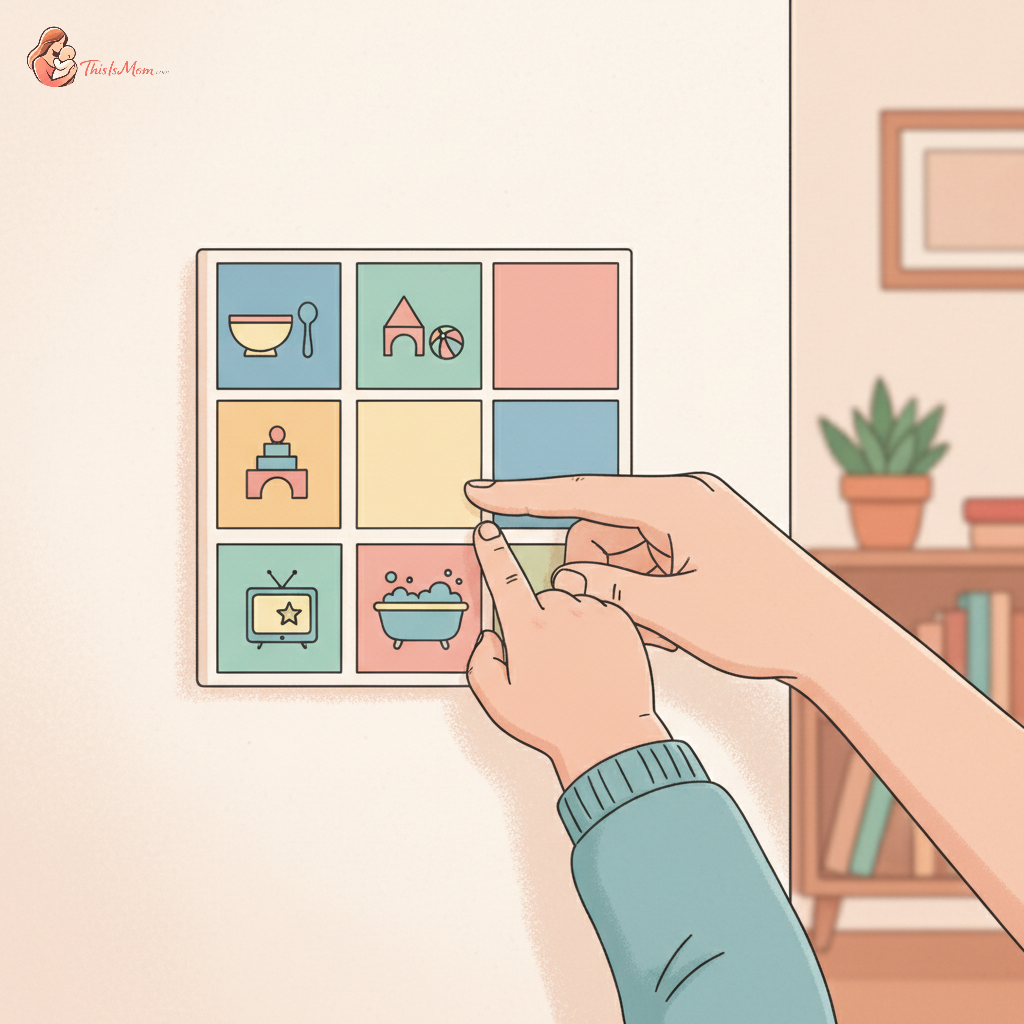
A Clockwork Calm: Crafting a Visual Schedule for Your 3-Year-Old's Screen Time
Before you dive into this, pause for a moment and truly observe your three-year-old. What are their rhythms? When do they naturally gravitate towards quiet play, and when do they burst with energy? Noticing these simple things is the first step in understanding how a visual schedule for 3-year-old screen time allowance can bring a sense of calm and predictability to your home. We often think of schedules as rigid structures, but for the developing mind of a three-year-old, they are gentle guides, offering a roadmap through the day.
This isn't about imposing strict rules, but rather about creating clarity. When a child can see what's coming next, their inherent need for order is met. This predictability can significantly reduce the inevitable power struggles that arise around transitions, especially those involving screen time. Think of it as preparing their environment – instead of just saying "no more screens," you're showing them what wonderful activities await them after screen time.
The Magic of Seeing What Comes Next
Three-year-olds are in a remarkable stage of development. Their brains are like sponges, absorbing information and patterns at an astonishing rate. However, their concept of time is still abstract. Telling them "five more minutes" can feel like an eternity or, conversely, a blink of an eye. That’s where visual cues come in.
A visual schedule transforms abstract time into concrete steps. When a child can see pictures representing "playdough," followed by "snack," and then "reading a book," they begin to grasp the flow of their day. This understanding builds a sense of agency; they are not being told what to do randomly, but rather following a clear, visible plan. This is particularly powerful when managing screen time, as it shifts the focus from a simple prohibition to a planned transition to other engaging activities.
Visual aids are also incredibly effective in fostering independence. The child can check the schedule themselves, reminding them of the sequence of events. This empowers them to anticipate what's next and to actively participate in transitioning from one activity to another, reducing your role as the sole timekeeper and enforcer.
Charting the Course: Expert Advice on Screen Time for Little Ones
Navigating screen time can feel like sailing uncharted waters, but there are helpful guidelines from organizations like the American Academy of Pediatrics (AAP). For children aged 2 to 5 years, the AAP recommends limiting screen use to 1 hour per day of high-quality programming. It's also crucial to co-view media with children, helping them understand what they are seeing and applying it to their world. You can learn to transition from Blippi & Cocomelon to educational apps to enrich their screen time experience.
Many parents find structured approaches helpful. You might have heard of methods like the "3-3-3 rule" (no more than 3 hours of screen time per day, 30 minutes at a time, with 3 hours between sessions) or the "3-6-9-12 rule" (often adapted for older children but the spirit of gradual introduction can apply). Another popular one is the "10-10-10 method" (a 10-minute screen time limit, followed by 10 minutes of non-screen play, and a 10-minute break before considering another session).
While these frameworks offer a starting point, the most important aspect is quality over quantity. Is the content educational and interactive? Does it encourage creativity or critical thinking? Choosing well-made apps, slow-paced educational shows, or even video calls with loved ones can make screen time a more enriching experience. Remember, the goal isn't necessarily zero screen time, but balanced and intentional screen use. Learning how to transition off screen time without tantrums can make this process smoother.
Building Your Family's Visual Roadmap Together
Creating a visual schedule template for toddlers doesn't require fancy software or expensive materials. You can start with simple tools readily available around your home. Consider using:
- Pictures: Cut out images from magazines, print simple clipart from your computer, or even snap photos of your child engaged in specific activities.
- Symbols: Many websites offer free printable icon sets that are universally understood by young children.
- Simple Words: For a three-year-old who is beginning to recognize letters and words, you can pair pictures with simple labels.
Discover your baby's phase
When deciding on the format, think about what makes the most sense for your family's rhythm. A daily schedule can provide a consistent flow, while a weekly overview might be helpful for special events or appointments. Some families find a sequence-of-activities approach most effective, where they visually list the steps of a particular routine, like bedtime or getting ready to go outside.
Crucially, involve your child in the creation process. Let them pick the pictures, help glue them onto the chart, or choose the color of the paper. This ownership fosters buy-in and makes the schedule feel like their guide, not just another rule imposed by you. This collaborative approach is a powerful way to prepare your child for the routines you’re establishing. Establishing clear routines is key, and you can introduce screen time limits to a 3-year-old gradually as part of this.
Practical Visions: Bringing Your Schedule to Life
Here are a few ideas to get you started. Imagine a morning routine:
- Wake Up (Picture of a sun or a child stretching)
- Get Dressed (Picture of clothes)
- Breakfast (Picture of food)
- Screen Time (Picture of a tablet or TV – only one block!)
- Outdoor Play (Picture of a park or ball)
- Lunch (Picture of a lunchbox)
An afternoon might look like:
- Quiet Time/Nap (Picture of a sleeping child or book)
- Snack (Picture of a snack)
- Creative Play (Picture of art supplies or building blocks)
- Free Play (Picture of toys)
The evening could include:
- Dinner (Picture of a family eating)
- Bath Time (Picture of a bathtub)
- Stories (Picture of a book)
- Bedtime (Picture of a moon and stars)
Remember to integrate 'screen time' thoughtfully within this broader daily schedule. It might be a small, designated block in the morning or afternoon, rather than an open-ended free-for-all. This approach helps the child understand that screen time is one of many enjoyable activities, not the primary focus. You can find many resources for a free printable toddler visual schedule PDF online, offering a wide array of pictures and templates to download and customize. Consider exploring sensory alternatives to screen time for toddlers to fill those non-screen blocks.
Cultivating Consistency and Flexibility
Once your visual schedule is in place, consistency is your best friend. Try to stick to the visual cues as much as possible, even on days when it feels easier to let things slide. The more predictable the schedule, the more readily your child will learn to follow it. This builds a strong habit that benefits all aspects of their day, not just screen time management.
Of course, there will be days when your three-year-old resists. They might not want to transition away from the screen, or skip a scheduled activity. This is where gentle guidance and connection come in. Instead of immediate enforcement, try acknowledging their feelings: "I see you're enjoying that game. It's hard to stop sometimes, isn't it? Look, after this, we get to [next activity on the schedule]." Often, simply validating their emotions can diffuse the situation. You might also find that understanding the potential pitfalls of AI companion robots for children is relevant as screen content evolves.
Most importantly, be prepared to adjust. As your child grows and their interests evolve, so too might their schedule. What worked gloriously at three years and two months might need tweaking by three years and six months. Regularly observing your child and having open conversations (even if it’s one-sided for now!) about how the schedule feels can help you strike the perfect balance between structure and freedom.