Using Visual Schedules to Reduce Screen Time Tantrums
Discover how visual schedules can transform screen time transitions and reduce tantrums. Learn to create and implement effective visual aids for calmer routines.
Taming the Screen Time Beast: How Visual Schedules Can Transform Transitions
With my first child, the end of screen time felt like a daily showdown – tears, screaming, the works. By my fourth, it’s still not always a walk in the park, but we’ve largely traded those epic meltdowns for calmer transitions. The secret? Visual schedules. Looking back, I realize I was fighting a battle I didn't understand. Young children, especially toddlers, often lack the words for their big feelings or the grasp of time needed to understand “just five more minutes.”
That’s where using visual schedules to reduce screen time tantrums has been a game-changer in our home. It’s not a magic wand, but a powerful tool that bridges the gap between our adult understanding and their child-sized world. If I could tell my younger self one thing about managing screen time, it would be to focus on predictability and clear expectations, not just limiting minutes.
Why Screen Time Transitions Are So Tough (And How Visuals Help)
Let's be honest, screen time is often a wonderful distraction, a sanity saver for parents. But the moment it's over, it can feel like pulling a favorite toy from a toddler's hands. Their little brains are still developing impulse control. They’re not being manipulative; they’re genuinely struggling to shift gears when something enjoyable suddenly stops.
The power of predictability for young children cannot be overstated. When they know what to expect, they feel safer and more in control. A visual schedule provides that comforting structure – a concrete representation of the day's flow, or at least a part of it, that they can see and understand.
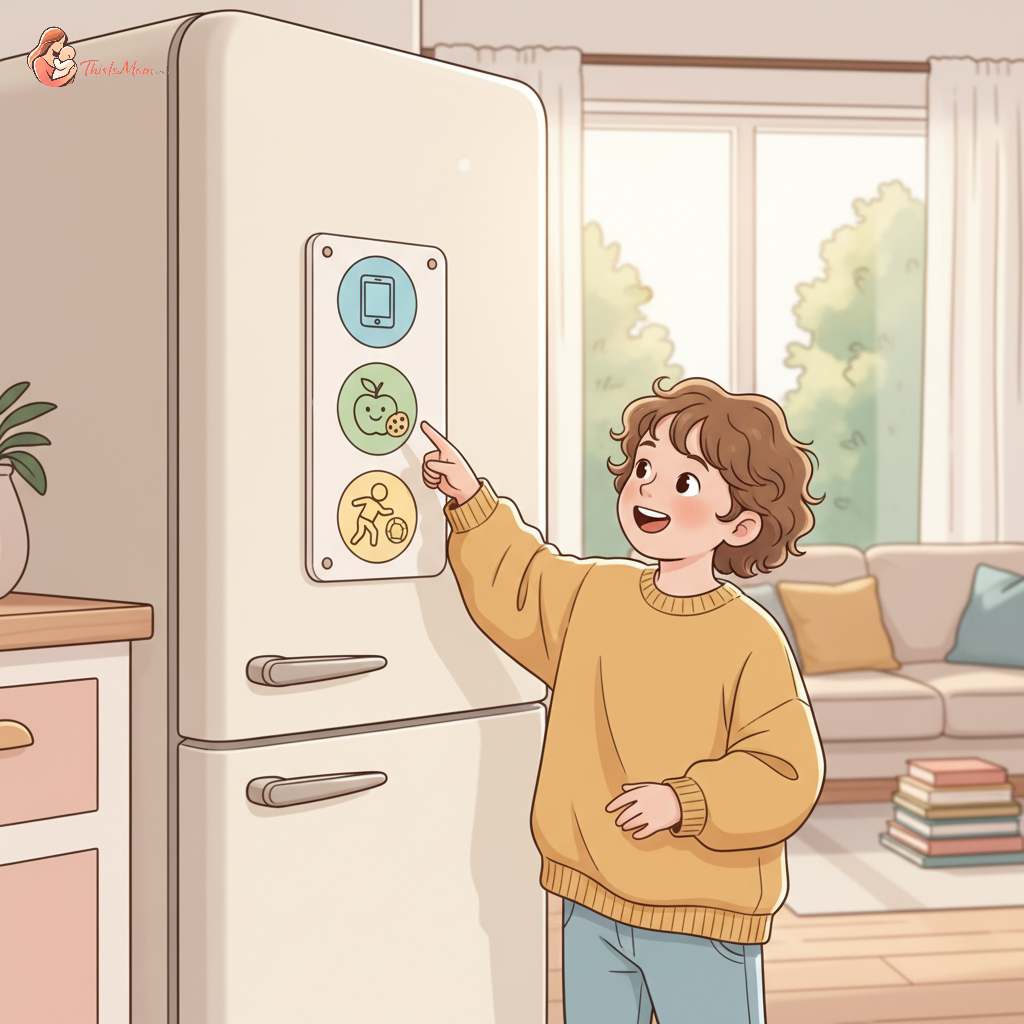
This is where a visual schedule for screen time truly shines. It bypasses the need for complex verbal explanations. Instead of you saying, "You have to turn it off now because it's time for dinner," the pictures on the schedule show them: screen time (picture of a tablet/TV) leads to dinner time (picture of food on a plate). It bridges the communication gap in a way that words sometimes can't, especially when emotions are running high.
Getting Started: Creating Your Screen Time Visual Schedule
The beauty of visual schedules is their flexibility. You don't need fancy software or expensive materials. With my first, I probably would have tried to buy a pre-made kit. By my fourth, I know that simple is often best.
You can create a visual schedule for screen time in several ways:
- Drawings: Simple stick figures or basic drawings of activities work wonders. A TV icon, a plate, a book – whatever represents the next step.
- Photos: Take pictures of your child engaged in each activity. This can be particularly effective as they recognize themselves.
- Printables: Many websites offer free printable icons and templates. You can often find screen time rules for toddlers visual aids this way.
When you're starting out, consider two main approaches:
- 'First-Then' Board: This is incredibly simple. It shows one activity they have to do (First: Screen Time) and the activity that comes after (Then: Snack). This is great for immediate transitions.
- Sequence Schedule: This shows a series of activities. For example: Wake up -> Breakfast -> Playtime -> Screen Time -> Lunch. This gives a broader overview.
Once you've made it, decide where to put your visual schedule for maximum impact. A central location is key. Our kitchen fridge or a hallway bulletin board works well. It needs to be visible and easily accessible for your child to point to.
Discover your baby's phase
Implementing Your Visual Schedule: Tips for Success
Creating the schedule is only half the battle. The real magic happens in how you use it. With my first, I probably would have introduced it with fanfare and then forgotten about it when things got hectic. By my fourth, I’ve learned that consistency is the backbone of success.
Introducing the schedule to your child should be a positive experience. Sit down together. Point to the pictures. "Look! After we watch this show, it will be time for a yummy snack. See? Tablet, then snack!" Make it a cooperative effort.
Consistency is key: This is where many parents falter. You have to follow through, every single time. If the schedule says screen time is followed by a bath, then it must be followed by a bath, not "just one more minute of TV because Mommy is tired." This builds trust and teaches them that the schedule is reliable.
Use positive reinforcement and praise. "Wow, you did it! You looked at our schedule and put the tablet away for snack time. That was amazing!" Acknowledge their effort and success, even small ones.
Troubleshooting Common Challenges (When Tantrums Still Happen)
Let's be real: even with the best-laid plans, tantrums don't disappear overnight. There will be days when they ignore the schedule or have a complete meltdown anyway. This is normal.
What to do when they ignore the schedule? Gently redirect them back to it. "Remember what our schedule says? After screen time, it's time to clean up. See the picture?" If they are too upset to engage, sometimes you just have to ride the wave of emotion. Offer comfort and then revisit the schedule later when they're calmer. Taming toddler tablet tantrums during grocery shopping can also offer useful strategies for managing meltdowns in public.
Adjusting the schedule as they grow is also important. What works for a two-year-old might not work for a five-year-old. As their language and understanding develop, you can phase out some visuals or add more complex sequences. The goal is to keep it relevant to their current developmental stage. Consider how screen-free calm down corners can also support emotional regulation.
During meltdowns, remember to offer empathy and connection. Even if they are upset about screen time ending, acknowledge their feelings. "I know you’re sad that screen time is over. It’s hard to stop when you’re having fun." Sometimes, a hug and validation are what they need most, before you gently guide them back to the next item on the schedule. Helping your toddler transition from screen time to outdoor play can be another way to manage their engagement.
Beyond Screen Time: Other Uses for Visual Schedules at Home
The magic of visual schedules doesn’t stop at screen time. This strategy has broadened our family’s ability to manage daily routines and expectations across the board.
You can use them for:
- Morning and bedtime routines: Visuals for getting dressed, brushing teeth, reading a story, and lights out can make these transitions much smoother.
- Chores and daily tasks: Older kids can benefit from visual checklists for things like making their bed, feeding a pet, or putting away toys. It helps foster independence.
- Preparing for new experiences: Heading to the doctor or a new playdate? A simple visual schedule can help demystify the experience and reduce anxiety. Managing toddler regression after starting daycare might be another area where structured routines can help.